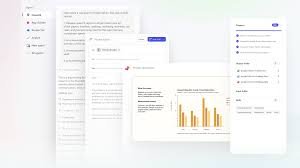
Microsoft 365: Unleashing the Power of Copilot Cowork for Enhanced Productivity
If you’ve experienced the capabilities of Microsoft Copilot, you’ve already glimpsed its potential to quickly find answers and draft communications. But the true power of Copilot lies in its ability to translate that initial intent into tangible actions across the entire Microsoft 365 suite. The next evolution is here: Copilot isn’t just about information; it’s about doing.
From Chat to Action: Introducing Copilot Cowork
Over the past year, Microsoft has been focused on empowering Copilot to take action – completing tasks, streamlining workflows, and handling work on your behalf. This is where Copilot Cowork comes in. It’s designed to move beyond simple conversation and actively assist you in getting things done.
Cowork simplifies delegation. Simply describe the desired outcome, and Cowork automatically leverages your existing emails, meetings, messages, files, and data to execute the task. Powered by Work IQ, Cowork understands your work context – drawing insights from Outlook, Teams, Excel, and the broader Microsoft 365 ecosystem – allowing it to act with the same understanding you bring to your role.
How Copilot Cowork Works: A Controlled and Transparent Process
When you assign a task to Cowork, it doesn’t just jump in. It meticulously creates a plan, outlining the steps needed to achieve your goal. This plan unfolds in the background, with clear checkpoints allowing you to monitor progress, make adjustments, or even pause execution at any time. Cowork proactively seeks clarification when needed and presents recommended actions for your approval before implementing any changes. You maintain complete control throughout the process. Copilot works with you, not for you.
Seamless Integration into Your Daily Workflow
Recent testing has demonstrated how seamlessly Cowork integrates into a busy workday. It’s easy to manage multiple tasks simultaneously, each progressing independently while you focus on your core responsibilities. The era of Copilot execution is officially here.
This plan-to-action loop is the key differentiator – it’s the difference between simply receiving an answer and actually accomplishing something. Here are four real-world examples of how Cowork transforms intent into action within Microsoft 365:
1. Calendar Triage & Focus Time
Start with a simple request: “Help me optimize my week.” Cowork reviews your Outlook schedule, identifies priorities, flags conflicting appointments and unproductive meetings, and proposes adjustments. Upon your approval, it automatically accepts, declines, or reschedules meetings and blocks out dedicated focus time. It can even prepare a pre-reading document for upcoming meetings, ensuring you’re fully prepared.
2. Customer Meeting Preparation
Preparing for a crucial customer meeting can be time-consuming. With Cowork, you can delegate the entire process. It gathers relevant information from emails, meetings, and files, schedules dedicated prep time, and generates a comprehensive set of deliverables: a briefing document, supporting analysis, and a client-ready presentation. Everything is conveniently saved within Microsoft 365 for seamless team collaboration.
3. In-Depth Research & Analysis
Extensive research can be a significant time sink. Cowork can offload this task, gathering data from web sources and internal documents. For example, it can compile earnings reports, SEC filings, analyst commentary, and relevant news articles, with a focus on key financial data. The findings are then organized with proper citations, delivering an executive summary formatted for email, a structured research memo with clear assumptions, and an Excel workbook with labeled tabs.
4. New Product Launch Coordination
New product launches demand speed and coordination. Cowork can manage the workflow, quickly transitioning from initial intent to a fully developed strategy. It builds a competitive comparison in Excel, distills key differentiators into a compelling value proposition document, and generates a customer-facing pitch deck. It also outlines milestones, assigns ownership, and defines next steps, translating strategy into coordinated action.
Security and Governance: Built on a Trusted Foundation
Copilot Cowork operates within the robust security and governance framework of Microsoft 365. Identity, permissions, and compliance policies are automatically applied, and all actions and outputs are fully auditable. Cowork runs in a protected, sandboxed cloud environment, ensuring tasks progress securely across all your devices. This ensures enterprise-scale durability and trust.
The Future of AI-Powered Productivity
Microsoft has integrated technology from Anthropic’s Claude Cowork into Microsoft 365 Copilot, leveraging a multi-model approach. This allows Copilot to select the optimal model for each task, regardless of its origin. This commitment to innovation will only grow as new models and working methods emerge.
Copilot Cowork is currently in Research Preview with a limited set of customers and will be more broadly available through the Frontier program in late March 2026. Learn how to power your Frontier Transformation with Copilot and agents.
Charles leads the design, product development, and engineering teams responsible for creating intelligent business applications and low-code platforms with generative AI.