Pushing the Limits: Can You Run Pragmata at 1440p on a Base PS5?
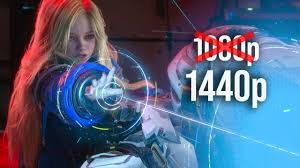
Capcom’s Pragmata game is a visual powerhouse, but for many PlayStation 5 owners, the standard 1080p native resolution (upscaled to 4K via FSR 1) might feel like it’s leaving some potential on the table. While the game is designed for stability, a fascinating discovery has emerged: it is actually possible to force the base PS5 to render the game at 1440p (QHD).
But this isn’t a simple menu toggle. It requires a specific, somewhat experimental workaround involving the new PS5 Pro. Here is everything you need to know about this resolution jump and whether the performance trade-off is worth it.
The “Pro Hack”: How to Get 1440p on a Standard PS5
To trigger this higher resolution, you need to leverage system-level cloud saves to “trick” the base console into accepting Pro-level settings. Follow these steps:
- Access a PS5 Pro: Boot up the Pragmata game on a PlayStation 5 Pro and complete the initial setup.
- Cloud Upload: Upload your save data to the cloud via your PlayStation Plus subscription (it is recommended to disable auto-sync first).
- The Transfer: Switch to your standard PS5 and download that specific save file from the cloud.
- Launch: Boot the game. Both the “Resolution” and “Frame-Rate” modes should now natively render at 1440p.
Warning: This method is unsupported and may be considered a bug. Capcom could patch this out at any time. If you experience instability, simply delete the Pro-injected save and start fresh to return to 1080p.
Visual Fidelity vs. Performance: The Great Trade-Off
Increasing the pixel density by 78% makes a noticeable difference in image quality. The 1440p output significantly reduces aliasing and eliminates much of the “specular shimmering” seen at 1080p. However, this beauty comes at a cost to the Pragmata game‘s performance.
1. Frame-Rate Mode
At stock 1080p, the game is a smooth 60fps experience. Once pushed to 1440p, frame rates can dip significantly. In taxing scenes, performance can drop from a steady 60fps to around 42-50fps. This increase in frame-time (from 17.5ms to 23.8ms) can make the gameplay feel less responsive.
2. Resolution Mode
The Resolution mode—which features ray-traced reflections and global illumination—already struggles to maintain 60fps at 1080p. Moving to 1440p puts further strain on the GPU, resulting in a performance deficit of up to 14fps. While it rarely dips below 30fps, making it a decent “Quality Mode,” it is far from a fluid experience.
Final Verdict: Should You Do It?
If you prioritize raw visual clarity and have a VRR-capable monitor that can smooth out the dips, experimenting with 1440p is an interesting journey. However, for the average player, Capcom’s decision to stick with 1080p for the base console is a logical move to ensure a consistent 60fps experience.
The Pragmata game is a masterpiece of art direction regardless of the resolution. For more official details on the title, visit the official Capcom website.
What about you? Do you prefer a locked 60fps at 1080p, or would you sacrifice smoothness for the crispness of 1440p? Let us know in the comments!