
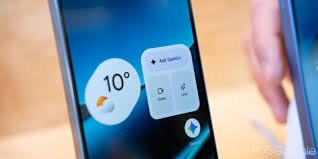
The Frustration of a Blank Screen: Android 17’s Widget Mystery
For years, widgets have been the backbone of the Android experience, allowing users to glance at their calendar, weather, and notes without opening a single app. However, for a growing number of Google Pixel owners who have upgraded to Android 17, that convenience has vanished. In a baffling turn of events, home screen widgets aren’t just disappearing—they are becoming completely unavailable in the widget picker.
This issue has caused quite a stir among the community of 5G smartphone enthusiasts who rely on their Pixel devices for peak productivity and seamless connectivity.
From Beta to Stable: A Bug That Wouldn’t Leave
The problem didn’t start overnight. Reports first surfaced as early as February during the Android 17 Beta program. Users noticed that widgets could be accidentally removed and then became impossible to restore. While many expected a fix before the official launch, the glitch unfortunately snuck into the stable release.
Reddit users have reported that after updating their 5G Pixel phones to the stable version of Android 17, any widgets previously in place simply vanished. Even worse, when attempting to add them back, the widgets were missing from the selection menu entirely.
The Culprit: The Work Profile Conflict
So, what exactly is causing this digital disappearance? After some community detective work, the evidence points toward the Work Profile. Many affected users discovered that disabling their professional profile immediately restored their missing widgets.
Unfortunately, the issue is cyclical: adding a new work profile often triggers the bug again, suggesting a deep-rooted conflict in how Android 17 manages separate user environments on high-performance 5G hardware.
How to Fix It: Temporary Workarounds
Google has officially confirmed the bug to 9to5Google, stating that a fix will be rolled out in a future software update “soon.” Until that patch arrives, here are a few temporary solutions you can try:
- n
- Disable the Work Profile: This is the most effective way to bring your widgets back immediately.
- Archive and Restore: Try archiving the affected apps and then restoring them.
- Toggle Focus Mode: Some users report that switching Focus Mode on and off provides a temporary fix.
- Management Settings: Adjusting Work Profile settings from the administrative side may help in some corporate environments.
Final Thoughts
While it’s disappointing to see a bug migrate from Beta to a stable release, the confirmation from Google provides some peace of mind. For those using 5G Google Pixel devices to manage their professional and personal lives, the wait for a proper patch is the only real solution.
Are you experiencing this widget glitch on your Android 17 device? Let us know in the comments below!



