
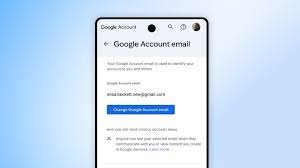
Take Control of Your Digital Identity: You Can Now Change Your Gmail Address!
Great news for Google Account users! You now have the power to update your Google Account username – that’s the part of your email address before the @gmail.com. This long-awaited feature allows you to personalize your digital identity and sign in to all your favourite Google services, including Gmail, Photos, Drive, and more, with a username that truly represents you.
Why Change Your Gmail Username?
For a long time, changing your entire Gmail address meant creating a new account. Now, Google offers a more flexible solution. Here’s why you might want to consider updating your username:
- Enhanced Privacy: You can choose a username that doesn’t reveal your personal information.
- Professional Branding: Opt for a username that aligns with your professional identity.
- Personal Preference: Simply choose a username you like better!
- Account Evolution: As your needs change, your username can evolve with you.
How to Change Your Gmail Username
Google began rolling out this feature last year, and it’s now available to all Google Account users in the U.S. Here’s how to get started:
- Visit the Google Account Help Center for detailed instructions.
- Follow the step-by-step guide to select a new username.
- Be aware that username availability is subject to Google’s policies.
While Google doesn’t currently offer a video tutorial directly, the Help Center provides clear visual guidance. You can also find helpful community discussions on the Google Account Help Community.
Stay Connected with Google
Want to stay up-to-date with the latest Google news and features? Sign up for the Google newsletter to receive updates directly in your inbox. Follow Google on social media for even more insights and announcements.
This update is a significant step towards giving users more control over their online presence. Take advantage of this new feature and personalize your Google Account today!



