
What is a Data Breach? Everything You Need to Know to Stay Safe
In an era where our entire lives—from banking to social interactions—are stored in the cloud, the question “what is a data breach?” has become critical for everyone. A data breach occurs when sensitive, protected, or confidential data is copied, transmitted, viewed, or stolen by an individual unauthorized to do so. This can range from a simple email leak to the exposure of Social Security numbers and financial records.
But the real danger isn’t just the breach itself; it’s what happens next. Once your data hits the dark web, it becomes a commodity for cybercriminals to conduct identity theft, phishing attacks, and financial fraud.
How Do You Know if You’ve Been Affected?
Many people wait for a formal notification letter from a company. However, these are often “lagging indicators.” By the time a company notifies you, your data may have been circulating in criminal forums for months. This is where a data breach checker becomes essential.
What is a Data Breach Checker?
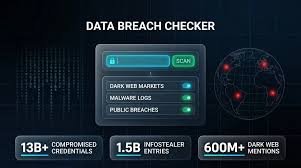
A data breach checker is a specialized tool that scans known breach databases, dark web marketplaces, and malware logs (such as those from infostealer Trojans) to see if your identifiers—like your email, phone number, or username—appear in a leaked dataset.
- Email Checks: The most common entry point. Since emails are primary login credentials, they are the first thing hackers target.
- Phone Number Checks: Increasingly common due to massive leaks from telecom companies and social media giants.
- SSN & Identity Checks: The most sensitive category, requiring specialized tools that verify exposure without asking you to upload your actual Social Security Number.
Top Tools to Check Your Exposure
Not all breach checkers are created equal. Depending on whether you need a historical overview or real-time intelligence, different tools serve different purposes:
1. DeXpose: Real-Time Dark Web Intelligence
For those who need more than just a historical list, DeXpose offers a comprehensive approach. Unlike standard tools, it monitors infostealer logs and live dark web markets. This means it can detect exposures in real-time, often before they are formally catalogued by the public.
2. Have I Been Pwned (HIBP)
Maintained by security researcher Troy Hunt, Have I Been Pwned is the gold standard for historical breach data. It is an excellent resource for seeing which past major breaches (like Adobe or LinkedIn) included your information.
3. OS-Integrated Tools
- Apple Users: Go to Settings → Passwords → Security Recommendations to see if your saved passwords have been compromised.
- Google Users: Google One subscribers can access a “dark web report” to monitor specific personal identifiers.
Major Recent Breaches: Are You at Risk?
Several high-profile incidents have put millions of users at risk recently. If you used these services, you should take immediate action:
- National Public Data (NPD): One of the largest breaches in history, allegedly exposing billions of records including SSNs. Use dedicated NPD checkers to verify your status via name and state.
- AT&T: Multiple 2024 events exposed customer records and call/text metadata. Update your account PINs and passwords immediately.
- Oracle Cloud: Recent alleged breaches have targeted organizational data. Businesses should use domain-wide scans to assess their footprint.
- T-Mobile & Xfinity: Frequent targets of large-scale leaks; always ensure MFA is active on these accounts.
Immediate Steps to Take After a Breach Discovery
Finding your data in a leak is stressful, but the speed of your response determines the damage. Follow this checklist:
- Change Compromised Passwords: If a password was leaked, change it immediately. If you reused that password elsewhere, change it on those accounts too.
- Implement a Password Manager: Stop password reuse. Tools like Bitwarden or 1Password generate unique, complex passwords for every site.
- Enable Multi-Factor Authentication (MFA): This is your strongest defense. Even if a hacker has your password, MFA prevents them from accessing your account.
- Freeze Your Credit: If your SSN was exposed, a credit freeze is the only way to prevent criminals from opening new loans or credit cards in your name. You can do this through the three major bureaus (Equifax, Experian, and TransUnion).
- Use Continuous Monitoring: A one-time check is a snapshot. Continuous monitoring services alert you the moment your data surfaces in a new breach.
Final Thoughts for Organizations
For businesses, a data breach isn’t just a technical failure; it’s a brand crisis. Organizations should move beyond individual checks and implement Attack Surface Mapping and domain-wide monitoring. By identifying exposed employee credentials before attackers do, you can close the door on potential ransomware attacks and corporate espionage.
Stay proactive. The dark web never sleeps, and neither should your security strategy.



