
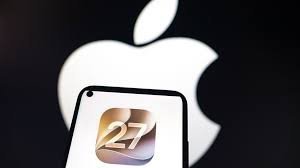
iOS 27 is Here: Everything You Need to Know About Apple’s AI Revolution
The anticipation is over. Following the spectacular “Surprise and Shine” event on September 9, Apple has officially set the stage for its most ambitious software leap yet. While the world marveled at the iPhone 18 Pro lineup and the innovative foldable iPhone Duo, the real magic lies within the software: iOS 27.
If you’ve been waiting to breathe new life into your device, the wait is almost over. Here is your complete guide to the release, the groundbreaking features, and how to get it on your device.
When Can You Download iOS 27?
Mark your calendars! Users with compatible iPhones will be able to install iOS 27 starting Monday, September 14. In keeping with Apple’s tradition, the update is expected to roll out at 10:00 a.m. PT (1:00 p.m. ET).
Step-by-Step: How to Install iOS 27 on Your iPhone
Ready to upgrade? Follow these simple steps to ensure a seamless transition to the latest OS:
- n
- Open the Settings app on your iPhone.
- Navigate to General.
- Tap on Software Update and wait for the system to check for available updates.
- Once iOS 27 appears, simply tap Download and Install.
Pro Tip: Want to skip the manual process? Go to “Automatic Updates” and toggle the switch to “On.” Your iPhone will automatically download the update overnight, provided it is locked and connected to a charger.
The Headline Feature: A Smarter Siri Powered by Google Gemini
The most significant upgrade in iOS 27 is the total transformation of Siri. No longer just a voice assistant for timers and weather, Siri AI now functions as a full-fledged AI chatbot. By integrating Google Gemini, Apple has given Siri the ability to understand complex context, hold natural conversations, and provide sophisticated answers to intricate queries.
AI-Powered Creative Tools
Apple is finally closing the gap with Android competitors by introducing a powerful suite of AI photo-editing tools. The standout feature, Spatial Reframing, allows users to:
- n
- Effortlessly remove unwanted objects or people from the background.
- Describe desired edits to Siri using simple voice or text commands.
- Optimize shots to take full advantage of the new iPhone 18 Pro Max camera system.
Additionally, users will find subtle yet welcome customization options for Liquid Glass and performance enhancements across the Health, Photos, and Notes apps.
Is Your iPhone Compatible?
Before you head to the settings menu, check if your device supports the new OS. iOS 27 is compatible with a wide range of devices, including:
- n
- iPhone 18 Series: iPhone 18 Pro, iPhone 18 Pro Max, iPhone Duo
- iPhone 17 Series: iPhone 17, iPhone 17e, iPhone Air, iPhone 17 Pro, iPhone 17 Pro Max
- iPhone 16 Series: iPhone 16, iPhone 16e, iPhone 16 Plus, iPhone 16 Pro, iPhone 16 Pro Max
- iPhone 15 Series: All models (Standard, Plus, Pro, Pro Max)
- iPhone 14 Series: All models (Standard, Plus, Pro, Pro Max)
- iPhone 13 Series: All models (Mini, Standard, Pro, Pro Max)
- iPhone 12 Series: All models (Mini, Standard, Pro, Pro Max)
- iPhone 11 Series: iPhone 11, 11 Pro, 11 Pro Max
- iPhone SE: Second generation or later
Important Note for European Users
While iOS 27 is a global launch, there is a catch for those in the EU. Due to current regulatory challenges, Siri AI will not be available in Europe at launch. European users will still receive the OS update and other features, but the advanced AI capabilities will remain restricted for the time being.
For more official technical specifications and support, you can visit the Apple Support page.



