Get Ready for the FIFA World Cup 2026: Ensure a Flawless Streaming Experience on DAZN
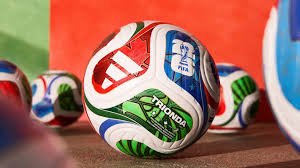
The anticipation for the FIFA World Cup 2026 is already building up. With Canada, Mexico, and the USA co-hosting the biggest football event on the planet, fans across North America and the globe are preparing for an unforgettable tournament. To keep up with every goal, tackle, and victory, many fans rely on DAZN, the leading sports streaming service.
However, there is a common technical hurdle that can stand between you and the action: VPN interference. If you’ve encountered a message stating that your VPN may disrupt your experience, you aren’t alone. Here is everything you need to know to ensure your stream remains uninterrupted.
Why is DAZN Flagging Your VPN?
DAZN utilizes strict geo-blocking technology to comply with broadcasting rights agreements. When a Virtual Private Network (VPN) is active, it masks your actual location, which can trigger security alerts or performance lags. This often leads to the dreaded error message advising you to disable your VPN to continue watching.
How to Fix VPN Issues for the FIFA World Cup 2026
If you are experiencing glitches, buffering, or access denials while trying to watch the FIFA World Cup 2026, follow these simple steps to restore your connection:
- n
- Disable Your VPN: Turn off any active VPN software or browser extensions.
- Reload the Page: Once the VPN is off, refresh your web browser or the DAZN app.
- Restart the Application: If a simple refresh doesn’t work, fully close the DAZN app and restart it to clear the cache.
- Check Your Connection: Ensure you have a stable internet connection to avoid further interruptions during high-traffic matches.
Pro Tips for a Better Viewing Experience
To make sure you don’t miss a single second of the 2026 tournament, consider these optimization tips:
- Update Your App: Always keep the DAZN app updated to the latest version to benefit from the newest stability patches.
- Use a Wired Connection: For 4K streaming, an Ethernet cable is always more reliable than Wi-Fi.
- Manage Background Apps: Close unnecessary applications on your device to free up bandwidth and processing power.
Conclusion
The FIFA World Cup 2026 promises to be a historic event, and the last thing you want is a technical glitch during a crucial match. By following these steps and ensuring your DAZN settings are optimized, you can focus on what really matters: the beautiful game.
Stay tuned for more updates on match schedules and streaming guides as we approach the kick-off!