
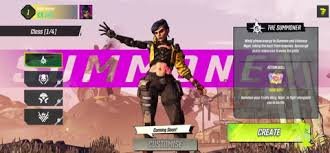
The world of Pandora is now in your pocket! Borderlands, the critically acclaimed looter-shooter franchise, has made its way to mobile devices, offering a thrilling and addictive experience for gamers on the go. But is Borderlands Mobile worth your time? This comprehensive guide will explore everything you need to know about playing Borderlands on your smartphone or tablet, from gameplay mechanics to character builds and optimization tips.
What is Borderlands Mobile?
Currently, there isn’t a single, dedicated ‘Borderlands Mobile’ game. Instead, Borderlands is available on mobile through services like Xbox Cloud Gaming and NVIDIA GeForce NOW. These services allow you to stream Borderlands 2 and Borderlands 3 directly to your mobile device, requiring a stable internet connection and a subscription to the respective service. This means you’re playing the full PC or console versions, but remotely. There are also unofficial ports and emulators, but these are often unreliable and may violate terms of service.
Playing Borderlands via Cloud Gaming: Xbox Cloud Gaming & GeForce NOW
Both Xbox Cloud Gaming and NVIDIA GeForce NOW offer excellent ways to experience Borderlands on mobile. Here’s a breakdown:
- Xbox Cloud Gaming: Requires an Xbox Game Pass Ultimate subscription. Offers access to a rotating library of games, including Borderlands 2 and potentially other titles in the future. Learn more about Xbox Game Pass Ultimate.
- NVIDIA GeForce NOW: Allows you to stream games you already own on platforms like Steam, Epic Games Store, and GOG. You’ll need to link your accounts and ensure the game is supported. Explore GeForce NOW.
Tips for Optimal Borderlands Mobile Gameplay
To ensure a smooth and enjoyable Borderlands experience on your mobile device, consider these tips:
- Stable Internet Connection: A fast and reliable Wi-Fi connection is crucial. 5GHz Wi-Fi is recommended.
- Controller Support: While touchscreen controls are available, a Bluetooth controller significantly enhances the gameplay experience.
- Close Background Apps: Free up system resources by closing unnecessary apps running in the background.
- Adjust Graphics Settings (if available): Some cloud gaming services allow you to adjust graphics settings to optimize performance.
- Headphones: Immerse yourself in the chaotic world of Pandora with a good pair of headphones.
Character Builds & Strategies
The beauty of Borderlands lies in its diverse character classes and build possibilities. Whether you prefer the explosive power of Maya, the tactical skills of Axton, or the robotic efficiency of Claptrap (in Borderlands 2), there’s a Vault Hunter to suit your playstyle. Resources like GameSpot’s Borderlands 3 Build Guides can provide inspiration and detailed strategies.
The Future of Borderlands on Mobile
While cloud gaming currently provides the best way to play Borderlands on mobile, the possibility of a dedicated mobile port remains. Gearbox Software continues to explore new platforms, and a future Borderlands title specifically designed for mobile devices isn’t out of the question. For now, cloud gaming offers a fantastic way to experience the looter-shooter mayhem of Borderlands wherever you are.



